The Field
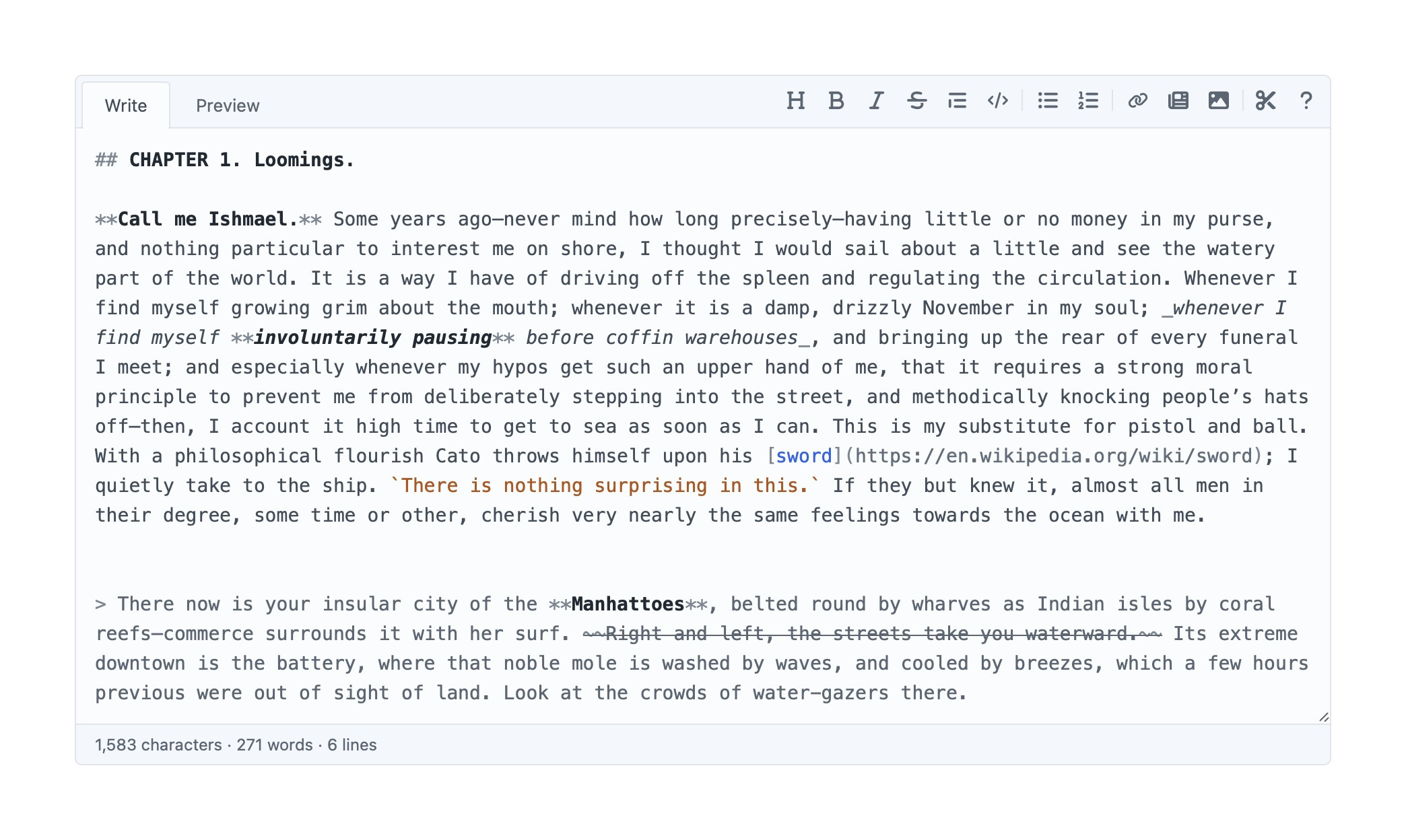
Create a field of type Markdown and add it to a field layout.
Field settings
| Setting | Default | |
|---|---|---|
| Markdown Flavour | GitHub-Flavoured | Which parser the Preview tab and the html value use. GFM adds fenced code blocks, tables, strikethrough and autolinking. Traditional Markdown and Markdown Extra are also available. |
| Preserve Line Breaks | On | GFM only. Turns a single newline into a <br>, the way GitHub’s comment boxes do. Turn it off for Markdown that’s hard-wrapped and meant to reflow. This is the parser’s gfm-comment flavour, which is what .flavour reports. |
| Inline Only | Off | Render without the wrapping <p>, for a heading or strapline going into markup of its own. Emphasis, links and code still parse. |
| New Paragraph on Enter | Off | Enter leaves a blank line, so it starts a paragraph rather than a line that runs back into the one above. ⇧Enter still gives the single newline, and Enter still carries on a list or a quote. Hidden, and ignored, when Inline Only is on: a field with no paragraphs in its output has no use for a key that makes them. |
Editor
| Setting | Default | |
|---|---|---|
| Text Size | 14px | The Markdown source in the editor, 11–20px. Editing comfort only, with no bearing on the front end. |
| Line Length | Full width | How far the text runs before it wraps. Comfortable holds it to about 80 characters and leaves the spare room at the end of the line. Comfortable (centred) splits that room between both edges. --wahlberg-measure sets the width. Editing comfort only. |
| Minimum Rows | 2 | How short the editor may get, 1 or more. It grows from there as the author types. |
| Maximum Rows | none | How tall it may grow before it scrolls instead. Blank lets it keep growing. Dragging the resize handle overrides auto-growing for that session. |
| Placeholder Text | none | Shown while the field is empty. |
| Field Limit | none | The most characters or bytes of Markdown the field accepts, enforced on save. Counts the source an author types, not the HTML it renders to. Bytes matter once the text stops being ASCII: an emoji is one character and four bytes. |
| Show Syntax Highlighting | On | Off leaves a plain textarea with the same sizing, toolbar and Preview tab. The escape hatch if a font stack won’t hold the highlighted layer and the textarea together. |
Toolbar
| Setting | Default | |
|---|---|---|
| Show Preview Tab | On | Off makes the editor source-only, and the toolbar moves to where the tabs were. |
| Show Formatting Toolbar | On | The keyboard shortcuts keep working either way. |
| Floating Toolbar | Off | Puts the buttons in a panel over the selection rather than in a strip above the editor. Nothing formatting-related is on screen until an author selects something or hits ⌘⇧F. See Floating. |
| Toolbar Buttons | all but Heading 1, Heading 3–6 and the guide | Which buttons the toolbar offers. See The toolbar. |
| Show Stats | Off | Character, word and line counts under the editor, with the field limit alongside when there is one. |
Parsing
| Setting | Default | |
|---|---|---|
| Parse Reference Tags | On | See Reference tags. |
| Encode HTML | Off | Encode HTML before parsing, so a tag an author types shows up as text. See Raw HTML and purification. |
| Purify HTML | On | See Raw HTML and purification. |
| HTML Purifier Config | Default | Which JSON config in config/htmlpurifier/ to sanitise with. |
Snippets
Only shown when config/wahlberg.php defines any. See Snippets.
| Setting | Default | |
|---|---|---|
| Available Snippets | all | Which of the defined snippets this field’s Snippets button offers. |
Assets
These apply to the toolbar’s Asset button.
| Setting | Default | |
|---|---|---|
| Available Volumes | all | Which volumes the button may pick from. |
| Show unpermitted volumes | Off | Whether to offer volumes the author can’t view. |
| Show unpermitted files | Off | Whether to offer files uploaded by other authors, per Craft’s “View files uploaded by other users” permission. |